


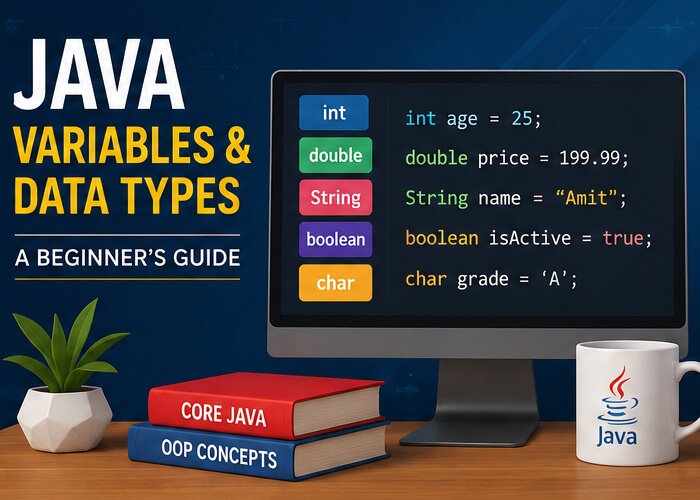
When writing a Java program, applications need a way to store information.
For example, an application might need to store:
- A user’s name
- Age
- Product price
- Account balance
- Login status
- Number of products
Java uses variables to store these values.
Unlike some dynamically typed languages, Java requires developers to specify the type of data a variable is intended to hold.
What Is a Variable in Java?
A variable is a named storage location that holds a value.
For example:
int age = 25;Here:
intis the data type.ageis the variable name.25is the value.
The variable can then be used elsewhere in the program:
System.out.println(age);Java Data Types
Java data types can be broadly divided into two categories:
- Primitive data types
- Reference data types
Primitive types represent basic values, while reference types are used for objects and other more complex structures.
Common Primitive Data Types
Java provides several primitive data types.
int
The int type is commonly used for whole numbers.
int age = 25;
int quantity = 10;
It is useful when the application needs to work with numbers without decimal values.
double
The double type is commonly used for decimal numbers.
double price = 199.99;
double temperature = 32.5;
It is often used for calculations involving fractional values.
boolean
A boolean variable stores either true or false.
boolean isLoggedIn = true;
boolean hasPermission = false;
Boolean values are commonly used in conditions.
For example:
if (isLoggedIn) {
    System.out.println("Welcome back!");
}
char
The char type stores a single character.
char grade = 'A';Character values use single quotes.
byte
The byte type is used for small integer values.
byte age = 25;It has a smaller range than int and can be useful in situations where memory usage matters.
long
The long type is used for larger whole numbers.
long population = 1400000000L;The L suffix indicates that the value should be treated as a long literal.
float
The float type stores decimal numbers with lower precision than double.
float percentage = 85.5f;The f suffix identifies the value as a float literal.
What Is String in Java?
String is used to store text.
For example:
String name = "Amit";
String country = "India";
You can display the value using:
System.out.println(name);A String is not a primitive data type. It is a class provided by Java.
Declaring a Variable
A Java variable can be declared before assigning a value.
int age;The value can be assigned later:
age = 25;You can also declare and initialize the variable in one statement:
int age = 25;The second approach is commonly used when the initial value is already known.
Changing Variable Values
Variables declared using non-final declarations can be assigned new values.
For example:
int score = 50;

score = 75;

System.out.println(score);
The final value stored in score is 75.
Using final Variables
Java provides the final keyword for values that should not be reassigned.
For example:
final double PI = 3.14159;After assigning a value to a final variable, you cannot assign another value to it.
This can be useful for constants.
Variable Naming Rules
Java has rules for naming variables.
A variable name:
- Can contain letters, numbers,
_, and$. - Cannot begin with a number.
- Cannot be a Java keyword.
- Is case sensitive.
For example:
String firstName = "Amit";
int userAge = 25;
A common Java convention is to use camelCase for variable names.
For example:
totalAmount
customerName
orderStatus
Example Program
Here is a small Java program that uses several data types:
public class Main {

    public static void main(String[] args) {

        String name = "Amit";
        int age = 25;
        double salary = 45000.50;
        boolean isDeveloper = true;
        char experienceLevel = 'B';

        System.out.println("Name: " + name);
        System.out.println("Age: " + age);
        System.out.println("Salary: " + salary);
        System.out.println("Developer: " + isDeveloper);
        System.out.println("Level: " + experienceLevel);
    }
}
This example demonstrates how different types of information can be stored in Java variables.
Why Are Data Types Important?
Data types help Java understand what kind of information a variable contains.
For example:
int quantity = 10;tells Java that quantity contains a whole number.
While:
String quantity = "10";stores the value as text.
Although both examples contain 10, they represent different types of data and behave differently during operations.
Final Thoughts
Variables and data types are among the first concepts every Java developer should understand.
A useful starting point is to become comfortable with:
intfor whole numbersdoublefor decimal valuesbooleanfor true/false valuescharfor a single characterStringfor textlongfor large whole numbers
Once these concepts are clear, you can move on to conditions, loops, methods, arrays, classes, and object-oriented programming.
The best way to learn Java is to write small programs regularly and experiment with the concepts you learn.
