


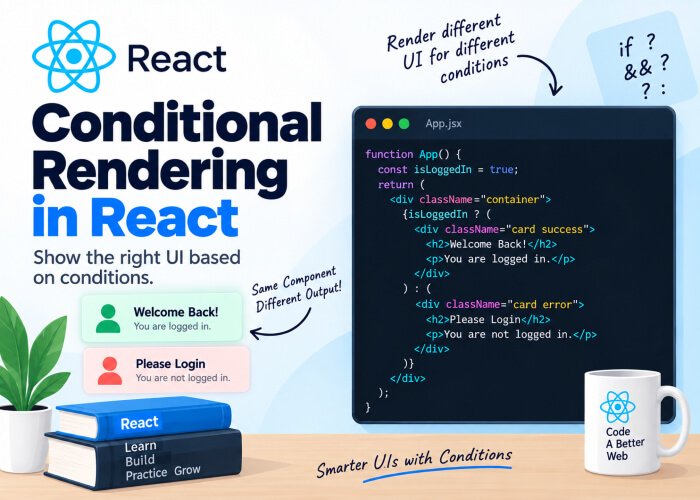
Conditional Rendering in React
Real applications rarely show the exact same UI to everyone at all times. A logged-in user sees a dashboard; a logged-out user sees a login button. A page shows a loading spinner while data is fetching, and the actual content once it arrives. This kind of “show this, or show that, depending on a condition” logic is called conditional rendering, and React gives you several clean ways to handle it.
Why You Can’t Use if Directly Inside JSX
In an earlier post, you learned that JSX only accepts expressions inside curly braces {}, not statements. Since if is a statement (not an expression), this won’t work:
function Greeting({ isLoggedIn }) {
  return (
    <div>
      {if (isLoggedIn) {          // ❌ This will throw a syntax error
        <h1>Welcome back!</h1>
      }}
    </div>
  )
}
Instead, React relies on a few different patterns — using if statements outside the JSX, ternary operators, and logical operators inside the JSX. Let’s go through each one.
Method 1: if / else Outside the Return Statement
The most straightforward approach is to use a regular if statement above your return, and simply return different JSX for each case.
function Greeting({ isLoggedIn }) {
  if (isLoggedIn) {
    return <h1>Welcome back!</h1>
  }
  return <h1>Please log in.</h1>
}
This works well when the two outcomes are completely different pieces of UI. It’s readable and easy to follow, especially for beginners.
Method 2: Ternary Operator (condition ? A : B)
When you want to conditionally render something inside a larger block of JSX (rather than returning entirely different UI), the ternary operator is a common choice:
function Greeting({ isLoggedIn }) {
  return (
    <div>
      {isLoggedIn ? <h1>Welcome back!</h1> : <h1>Please log in.</h1>}
    </div>
  )
}
This reads as: “if isLoggedIn is true, render the first element; otherwise, render the second.” Ternaries work well for simple two-way conditions, but avoid nesting multiple ternaries inside each other — it quickly becomes hard to read.
Avoid this (nested ternaries):
{status === "loading" ? <Spinner /> : status === "error" ? <ErrorMessage /> : <Content />}If you find yourself nesting ternaries like this, it’s usually a sign you should switch to an if/else chain or a switchstatement instead.
Method 3: Logical AND (&&) Operator
Very often, you only want to render something if a condition is true, and render nothing at all otherwise. For this, the && operator is the idiomatic React pattern:
function Notifications({ count }) {
  return (
    <div>
      <h2>Inbox</h2>
      {count > 0 && <p>You have {count} new messages.</p>}
    </div>
  )
}
Here’s why this works: in JavaScript, && evaluates the left side first. If it’s false (or falsy), the expression short-circuits and returns that falsy value immediately, without ever evaluating the right side. React simply renders nothing when it receives false, null, or undefined. If the left side is true, JavaScript evaluates and returns the right side — in this case, the JSX to render.
A Common Pitfall with &&
Be careful when the condition is a number, especially 0:
function Cart({ itemCount }) {
  return (
    <div>
      {itemCount && <p>You have {itemCount} items in your cart.</p>}
    </div>
  )
}
If itemCount is 0, this expression evaluates to 0 (not false), and — unlike false, null, or undefined — React will actually render the number 0 on the screen. You’d see a stray “0” floating in your UI, which is rarely what you want.
Fix: Convert the condition to an explicit boolean using a comparison:
{itemCount > 0 && <p>You have {itemCount} items in your cart.</p>}This is a subtle bug that catches a lot of beginners (and even experienced developers), so it’s worth remembering.
Method 4: Using Variables to Store JSX
For more complex conditions, it can be cleaner to compute the JSX in a variable first, then render that variable in your return statement.
function StatusMessage({ status }) {
  let message

  if (status === "loading") {
    message = <p>Loading...</p>
  } else if (status === "error") {
    message = <p>Something went wrong.</p>
  } else if (status === "success") {
    message = <p>Data loaded successfully!</p>
  }

  return <div>{message}</div>
}
This approach scales much better than nested ternaries when you have three or more possible outcomes, since each condition is clearly separated and easy to read.
Method 5: Switch Statements for Multiple Conditions
When you have many possible states, a switch statement (used outside the JSX) can be even clearer than a long if/else ifchain:
function StatusMessage({ status }) {
  switch (status) {
    case "loading":
      return <p>Loading...</p>
    case "error":
      return <p>Something went wrong.</p>
    case "success":
      return <p>Data loaded successfully!</p>
    default:
      return <p>Unknown status.</p>
  }
}
Including a default case is good practice — it ensures your component always renders something sensible, even for states you haven’t explicitly handled.
Conditionally Rendering Nothing
Sometimes you genuinely want a component to render nothing under certain conditions. Returning null tells React not to render any output for that component:
function WarningBanner({ show }) {
  if (!show) {
    return null
  }
  return <div className="banner">Warning: Something needs your attention!</div>
}
This is a common pattern for banners, modals, and alerts that should only appear under specific circumstances.
A Practical Example: Combining Multiple Techniques
Here’s a slightly more realistic example that combines several patterns you’ve just learned — showing a loading state, an error state, or the actual data, depending on the situation:
function UserProfile({ isLoading, error, user }) {
  if (isLoading) {
    return <p>Loading profile...</p>
  }

  if (error) {
    return <p>Failed to load profile: {error}</p>
  }

  return (
    <div>
      <h2>{user.name}</h2>
      <p>{user.email}</p>
      {user.isPremium && <span className="badge">Premium Member</span>}
    </div>
  )
}
This pattern — checking for loading and error states before rendering the “happy path” — is extremely common in real-world React applications, especially once you start fetching data from APIs (which we’ll cover in a later post).
Common Mistakes Beginners Make
- Trying to use
ifstatements directly inside JSX curly braces, which causes syntax errors. - Nesting too many ternary operators, making the code hard to read and maintain.
- Using
&&with a number that could be0, accidentally rendering a stray “0” on the screen. - Forgetting a
defaultcase in switch-based rendering, leaving certain states unhandled. - Returning
undefinedinstead ofnull— while both usually work, returningnullexplicitly is the clearer and more intentional choice for “render nothing.”
Recap
In this post, you learned:
- Why
ifstatements can’t be used directly inside JSX, and how to work around that - How to use
if/else, ternary operators, and the&&operator for conditional rendering - A common pitfall with
&&and numeric values like0 - How to use variables and
switchstatements for handling multiple possible UI states - How to render nothing at all using
return null
Conditional rendering handles what to show, but many UIs also need to display collections of data — like a list of products, comments, or search results. In the next post, we’ll cover Lists and Keys, and why that mysterious key prop you’ve seen in earlier examples actually matters.

1 Comment
Pingback: Handling Events in React - Developers Ground