


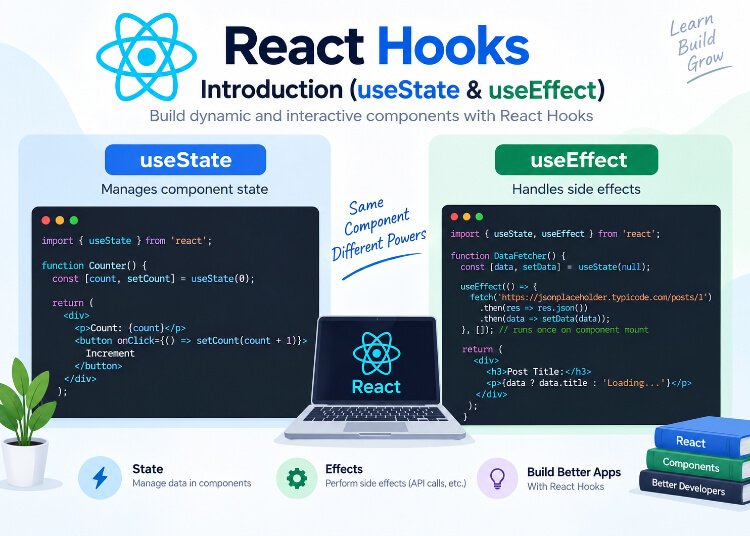
React Hooks
You’ve already been using one of React’s most important hooks — useState — since the very early posts in this series. But you haven’t yet learned what a “hook” actually is, why they were introduced, or the rules you need to follow when using them. In this post, we’ll properly define hooks, revisit useState with a bit more context, and introduce a second essential hook: useEffect.
What Is a Hook?
A hook is a special function that lets you “hook into” React features — like state, lifecycle behavior, and context — from within a functional component. Hooks always start with the word use: useState, useEffect, useContext, useRef, and so on.
Before hooks were introduced (React 16.8, released in early 2019), functional components could only be simple, “dumb” components that received props and returned JSX — they had no way to hold their own state or run side effects. Anything interactive required a class component instead.
Hooks changed that by giving functional components the same capabilities as class components, without needing this, constructors, or lifecycle methods like componentDidMount. This is a big part of why functional components became the standard approach in modern React, as we discussed back in the components post.
The Rules of Hooks
Before diving into specific hooks, there are two strict rules you must follow every time you use one:
Rule 1: Only Call Hooks at the Top Level
Never call hooks inside loops, conditions, or nested functions.
function Example({ shouldTrack }) {
  if (shouldTrack) {
    const [count, setCount] = useState(0)   // ❌ Never do this
  }
  // ...
}
Correct approach:
function Example({ shouldTrack }) {
  const [count, setCount] = useState(0)   // ✅ Always at the top level

  if (shouldTrack) {
    // use count here instead
  }
}
Rule 2: Only Call Hooks from React Functions
Hooks should only be called from within functional components or from custom hooks (which we’ll cover in a later post) — never from regular JavaScript functions or class components.
Why These Rules Exist
React relies on the order in which hooks are called to correctly associate each hook with its corresponding state, across every render. If you call hooks conditionally, that order can change from one render to the next, and React loses track of which state belongs to which hook — leading to bugs that are often confusing to debug. Following these rules consistently avoids that problem entirely.
Most React starter templates come with an ESLint plugin (eslint-plugin-react-hooks) that automatically warns you if you break these rules, which is well worth keeping enabled.
Revisiting useState
You’ve already used useState extensively in this series, but let’s quickly recap it in the context of “hooks” as a broader concept:
import { useState } from 'react'

function Counter() {
  const [count, setCount] = useState(0)

  return (
    <div>
      <p>Count: {count}</p>
      <button onClick={() => setCount(count + 1)}>Increment</button>
    </div>
  )
}
useState is a hook that lets a functional component remember values between renders and trigger a re-render when those values change. If you’d like a deeper refresher, we covered useState in full detail in our earlier post on State in React.
Now let’s move to a hook you haven’t formally learned yet: useEffect.
Introducing useEffect
Not everything a component needs to do fits neatly into “rendering UI based on state and props.” Sometimes you need to:
- Fetch data from an API when a component loads
- Manually update the page title
- Set up a subscription or event listener
- Start a timer
- Sync something with an external system (like
localStorage)
These are called side effects — operations that reach outside of React’s normal rendering process. The useEffect hook is how you handle them in functional components.
import { useState, useEffect } from 'react'

function DocumentTitleUpdater() {
  const [count, setCount] = useState(0)

  useEffect(() => {
    document.title = `You clicked ${count} times`
  })

  return (
    <div>
      <p>You clicked {count} times</p>
      <button onClick={() => setCount(count + 1)}>Click me</button>
    </div>
  )
}
Here, every time the component renders (which happens whenever count changes), useEffect runs the function passed to it, updating the browser tab’s title to match the current count.
The Dependency Array
By default, the example above runs the effect after every single render — which is often more than you need, and can hurt performance. This is where the dependency array (the second argument to useEffect) comes in.
useEffect(() => {
  document.title = `You clicked ${count} times`
}, [count])
Adding [count] tells React: “only re-run this effect if count has changed since the last render.” If count stays the same between renders, React skips running the effect again.
There are three variations to understand:
1. No Dependency Array — Runs After Every Render
useEffect(() => {
  console.log("This runs after every render")
})
2. Empty Dependency Array — Runs Only Once (on Mount)
useEffect(() => {
  console.log("This runs only once, when the component first mounts")
}, [])
This pattern is extremely common for things like fetching initial data when a component first appears on screen.
3. Dependency Array with Values — Runs When Those Values Change
useEffect(() => {
  console.log("This runs whenever 'count' or 'userId' changes")
}, [count, userId])
React compares each value in the dependency array between renders, and only re-runs the effect if at least one of them has changed.
A Practical Example: Fetching Data with useEffect
One of the most common uses of useEffect is fetching data when a component mounts. We’ll cover data fetching in much more depth in a later post, but here’s a simplified preview:
import { useState, useEffect } from 'react'

function UserProfile({ userId }) {
  const [user, setUser] = useState(null)

  useEffect(() => {
    fetch(`https://api.example.com/users/${userId}`)
      .then((response) => response.json())
      .then((data) => setUser(data))
  }, [userId])

  if (!user) return <p>Loading...</p>

  return <h2>{user.name}</h2>
}
Here, the effect re-runs whenever userId changes, fetching fresh data for the new user each time. Without [userId] in the dependency array, this would either run on every render (wasteful and potentially cause an infinite loop) or only once ever (missing updates when userId changes).
Cleaning Up Effects
Some effects — like subscriptions, timers, or event listeners — need to be cleaned up when the component unmounts, or before the effect runs again. You do this by returning a function from inside useEffect.
import { useState, useEffect } from 'react'

function Timer() {
  const [seconds, setSeconds] = useState(0)

  useEffect(() => {
    const interval = setInterval(() => {
      setSeconds((prev) => prev + 1)
    }, 1000)

    return () => {
      clearInterval(interval)
    }
  }, [])

  return <p>Timer: {seconds} seconds</p>
}
Here’s what’s happening:
setIntervalstarts a timer that updatessecondsevery second- The returned function (
() => clearInterval(interval)) is the cleanup function - React automatically calls this cleanup function when the component unmounts (or before re-running the effect, if dependencies change)
Without this cleanup, the timer would keep running even after the component is removed from the screen, silently wasting resources and potentially causing memory leaks — a surprisingly common bug in real-world apps.
Mapping useEffect to Class Component Lifecycle Methods
If you’re familiar with class components (or come across them in older codebases), this comparison might help connect the dots:
| Class Component Lifecycle Method | Equivalent with useEffect |
|---|---|
componentDidMount | useEffect(() => { ... }, []) |
componentDidUpdate | useEffect(() => { ... }, [dependency]) |
componentWillUnmount | The cleanup function returned from useEffect |
This is a helpful mental model, though it’s worth noting that useEffect doesn’t map perfectly onto lifecycle methods — it’s a genuinely different (and, once you’re used to it, more flexible) mental model based on synchronizing a component with external systems, rather than reacting to specific lifecycle moments.
Common Mistakes Beginners Make
- Forgetting the dependency array entirely, causing an effect to run after every single render — including ones that trigger the effect to run again, potentially creating an infinite loop.
- Missing dependencies in the array, causing the effect to use stale, outdated values from a previous render instead of the current ones.
- Forgetting cleanup functions for subscriptions, timers, or event listeners, leading to memory leaks.
- Calling hooks conditionally, violating the Rules of Hooks and causing unpredictable bugs.
- Using
useEffectfor calculations that don’t involve side effects — if you’re just deriving a value from existing state or props, you usually don’t needuseEffectat all; a plain calculation during render is simpler and more efficient.
Recap
In this post, you learned:
- What hooks are, and why they were introduced to give functional components more power
- The two Rules of Hooks, and why breaking them causes bugs
- A recap of
useStatein the context of hooks generally - What
useEffectis used for, and how the dependency array controls when it runs - How to clean up effects like timers and subscriptions to avoid memory leaks
- How
useEffectroughly maps to lifecycle methods from class components
useState and useEffect cover a lot of ground, but there’s another common problem in React apps: passing data down through many layers of components just to reach one deeply nested child. In the next post, we’ll solve that with the useContext hook, and learn how to avoid what’s known as “prop drilling.”
