


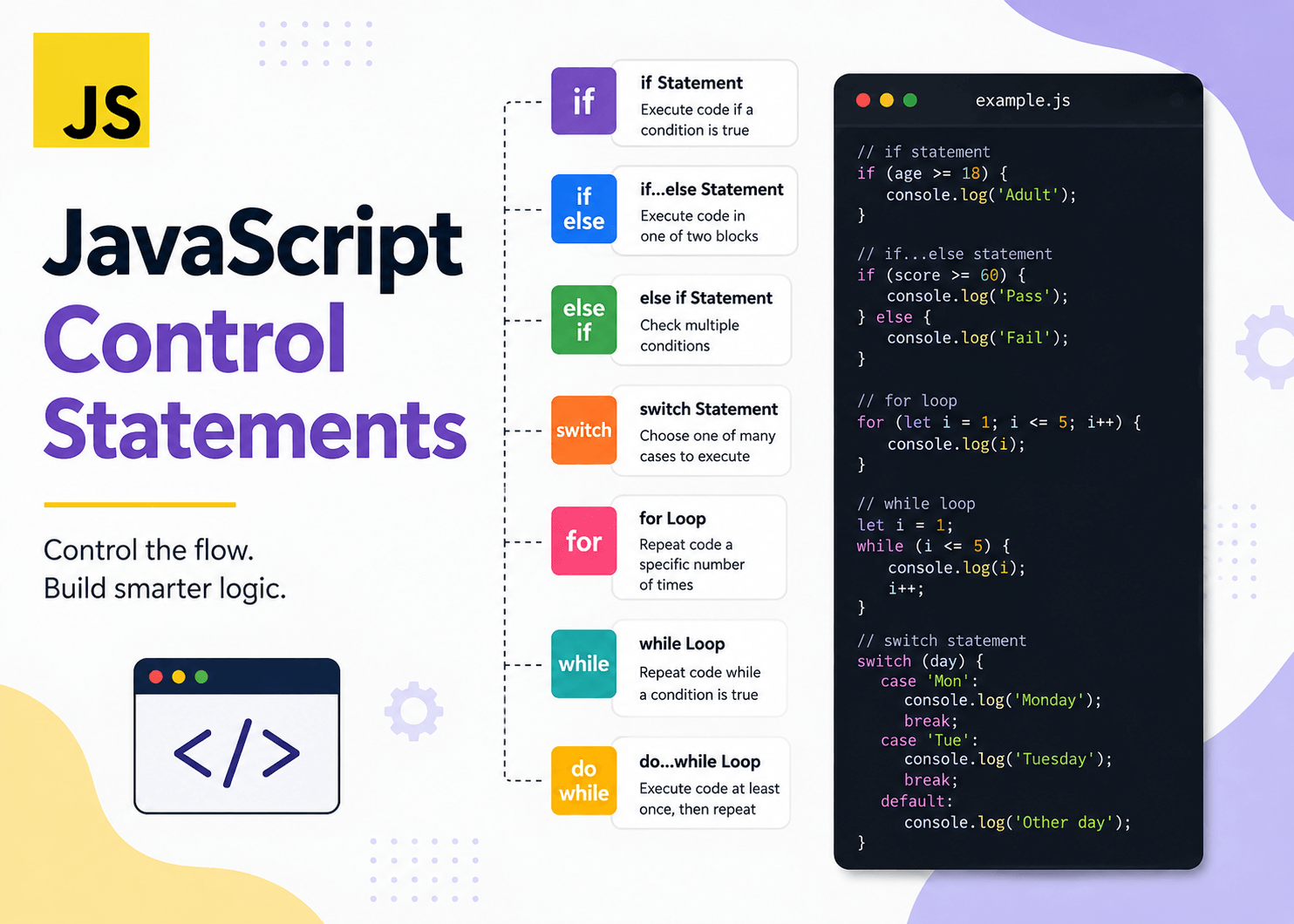
What are Control Statements?
- Normally JavaScript executes the program from top to bottom. Control statements allow you to change this normal flow.
- Control Statements are classified into three types
- Decision Making Statements
- Looping Statements
- Jump Statements
Decision Making Statements
- This category of conditional statements allow your program to make decisions.
-
E.g. If user logged in show dashboard else show login page.
- Following are the decision making statements
- If…else
- Switch
- Ternary
If statement
- This is the simplest conditional statement.
- Syntax
-
if (condition) {// code } - If the condition gets false then block doesn’t executes.
- A condition normally produces a Boolean value.
-
let age = 15;
if (age >= 18) { console.log(“You are eligible to vote”); }
If…else statement
- When there are two possible paths then you can use If along with else statement.
-
if (condition) {// true } else { // false } -
let age = 16;
if (age >= 18) { console.log(“Adult”); } else { console.log(“Minor”); }
If…else if…else
- You can use this when there are multiple conditions.
- JavaScript checks conditions from top to bottom as soon as one condition is true then if block executes and remaining else if conditions skipped.
-
let marks = 85;
if (marks >= 90) { console.log(“Grade A+”); } else if (marks >= 75) { console.log(“Grade A”); } else if (marks >= 60) { console.log(“Grade B”); } else if (marks >= 40) { console.log(“Grade C”); } else { console.log(“Fail”); }
Multiple Conditions
- JavaScript provides logical operators so that we can apply multiple conditions.
- AND – && : Both conditions must be true.
-
let age = 25;
let hasLicense = true;
if (age >= 18 && hasLicense) { console.log(“Allowed to drive”); } - OR -|| : At lease one condition must be true.
-
let isAdmin = false;
let isManager = true;
if (isAdmin || isManager) { console.log(“Access granted”); } - NOT – ! : Reverses a boolean value
-
let isLoggedIn = false;
if (!isLoggedIn) { console.log(“Please login”); }
Switch Statement
- Switch statement is useful when you want to compare one value against multiple possible values.
-
switch (expression) {case value1: // code break; case value2: // code break; default: // code } -
let day = 2;
switch (day) { case 1: console.log(“Monday”); break; case 2: console.log(“Tuesday”); break; case 3: console.log(“Wednesday”); break; default: console.log(“Invalid day”); } -
O/P: Tuesday
Ternary Operator
- It is a short form of if…else statement.
-
Syntax: condition ? valueIfTrue : valueIfFalse
-
let isLoggedIn = true;
let message = isLoggedIn ? “Welcome” : “Please login”;
Looping Statements
- This category of control statements allow your program to perform iterations.
- Iteration is nothing but executing same code block multiple times.
- Printing numbers from 1 to 100
- Reading elements from an array.
- Following are the mainly used looping statements in JavaScript.
- for loop
- while loop
- do-while loop
- for-of loop
- for-in loop
for loop
- The for loop is one of the most commonly used loops.
- It is generally used when you know or can clearly define how the iteration should start, continue, and progress.
for (initialization; condition; update) {
    // statements
}
for (let i = 1; i <= 5; i++) {
console.log(i);
}
While loop
- The while loop is called as condition-controlled loop
- The main idea behind this loop is keep executing this block while condition is true.
while (condition) {

// statements

}
let count = 1;
while (count <= 5) {
console.log(count);
count++;
}
do-while loop
- do-while loop is called exit-controlled loop because conditions will be checked after the loop body executes.
do {

// statements

} while (condition);
let number = 10;
do {
console.log(number);
} while (number < 5);
for-of loop
- for…of was introduced as part of modern JavaScript’s iteration features.
- It is designed to iterate over the values of an iterable.
- An iterable is an object whose elements can be accessed sequentially.
- Common examples include:
- Arrays
- Strings
- Maps
- Sets
const fruits = ["Apple", "Mango", "Banana"];

for (const fruit of fruits) {
console.log(fruit);
}
for-in loop
- for…in is primarily designed to iterate over the property names (keys) of an object.
const student = {

name: "Rahul",

age: 22,

course: "React"

};

for (const key in student) {
console.log(key);
}- This will produce below output
name

age

course
