






Introduction
We explored how to interact with the browser window using DOM Manipulation & Events, giving our web pages the ability to respond to user interactions.
However, modern applications rarely live in isolation on the user’s machine. They fetch weather forecasts, query databases, upload images, and authenticate users via external APIs. Because network requests take time, freezing the entire webpage while waiting for a response would ruin the user experience.
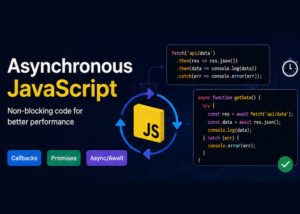
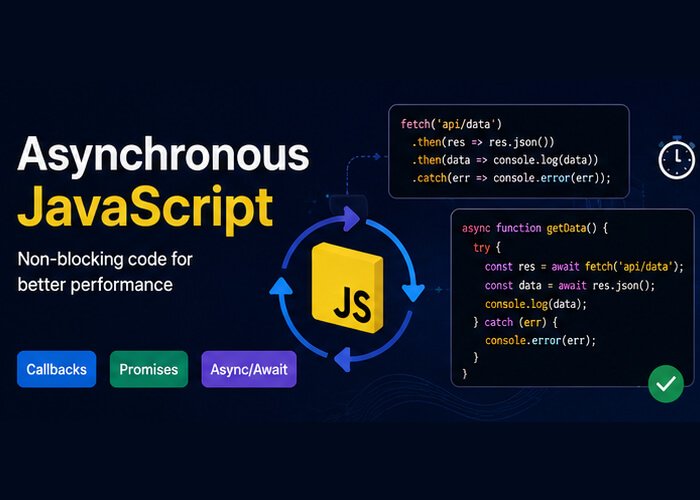
To solve this, JavaScript relies on Asynchronous Programming. In this guide, we will break down how JavaScript handles asynchronous operations, walk through the evolution from callbacks to Promises, and master modern async/await.
1. Synchronous vs. Asynchronous: Understanding the Difference
JavaScript is single-threaded, meaning it executes one operation at a time on a single call stack.
Synchronous Code: Code executes line by line from top to bottom. Each line must finish executing before the next line starts (blocking).
Asynchronous Code: Long-running tasks (like network calls or timers) are offloaded to browser APIs in the background. JavaScript continues executing the rest of the script without waiting, and handles the task result once it’s ready (non-blocking).
console.log("1. Application started");

// Asynchronous operation (offloaded to Web APIs)
setTimeout(() => {
  console.log("2. Data fetched from server (after 2 seconds)");
}, 2000);

console.log("3. Application ready for user input");
Console Output:
1. Application started
3. Application ready for user input
2. Data fetched from server (after 2 seconds)
Notice that 3 logs immediately without waiting for the timer to finish. The application never freezes.
2. How It Works: The Event Loop in Brief
How does a single-threaded language manage asynchronous work? The JavaScript runtime uses three core pieces:
Call Stack: Where standard JavaScript functions run in order.
Web APIs / Node APIs: Where background tasks (HTTP requests, timers, file reads) wait for completion.
Task Queue (Callback Queue / Microtask Queue): Where completed asynchronous callbacks wait to run.
The Event Loop: A continuous monitor that checks: “Is the Call Stack empty? If yes, push the next callback from the Queue onto the Call Stack.”
3. The Evolution: Callbacks & Callback Hell
In earlier versions of JavaScript, asynchronous tasks were handled using callback functions—passing a function as an argument to run after an operation finished.
function getUserData(userId, callback) {
  setTimeout(() => {
    callback({ id: userId, username: "AlexQA" });
  }, 1000);
}

getUserData(101, (user) => {
  console.log(`User retrieved: ${user.username}`);
});
The Problem: “Callback Hell” (Pyramid of Doom)
When you had multiple dependent asynchronous tasks (e.g., fetch user → fetch user’s orders → fetch order details), callbacks had to be deeply nested inside each other:
// The dreaded "Callback Hell"
fetchUser(userId, (user) => {
  fetchOrders(user.id, (orders) => {
    fetchOrderDetails(orders[0].id, (details) => {
      generateInvoice(details, (invoice) => {
        console.log("Invoice ready!");
      }, handleError);
    }, handleError);
  }, handleError);
}, handleError);
This structure is hard to read, difficult to debug, and error handling must be duplicated at every level.
4. Promises: A Cleaner Way to Handle Async Work
Introduced in ES6 (ES2015), a Promise is an object representing the eventual completion (or failure) of an asynchronous operation and its resulting value.
A Promise has 3 States:
Pending: Initial state; operation is still running.
Fulfilled (Resolved): Operation completed successfully.
Rejected: Operation failed with an error.
Creating and Consuming a Promise
// Creating a Promise
const checkInventory = (itemCount) => {
  return new Promise((resolve, reject) => {
    setTimeout(() => {
      if (itemCount > 0) {
        resolve(`Stock confirmed: ${itemCount} items available.`);
      } else {
        reject(new Error("Out of stock!"));
      }
    }, 1500);
  });
};

// Consuming with .then(), .catch(), and .finally()
checkInventory(5)
  .then((message) => {
    console.log(message); // Runs if resolved
  })
  .catch((error) => {
    console.error(error.message); // Runs if rejected
  })
  .finally(() => {
    console.log("Inventory check complete."); // Runs in either case
  });
Promise Chaining
Instead of nesting callbacks, Promises allow you to chain operations cleanly using .then():
fetchUser(userId)
  .then(user => fetchOrders(user.id))
  .then(orders => fetchOrderDetails(orders[0].id))
  .then(details => generateInvoice(details))
  .then(invoice => console.log("Invoice ready:", invoice))
  .catch(error => console.error("An error occurred along the chain:", error));
5. Modern Standard: async and await (ES2017)
async and await are syntactic sugar built on top of Promises. They allow you to write asynchronous code that reads sequentially, just like synchronous code.
asynckeyword: Marks a function as asynchronous and ensures it always returns a Promise.awaitkeyword: Pauses execution inside theasyncfunction until the Promise resolves or rejects. (Can only be used insideasyncfunctions or at the top level of modern ES modules).
// Simulating an asynchronous database query
const fetchUserData = (id) => {
  return new Promise((resolve) => {
    setTimeout(() => resolve({ id, name: "Marcus", role: "Test Architect" }), 1000);
  });
};

// Using async/await
async function displayUserProfile(id) {
  console.log("Loading user profile...");

  const user = await fetchUserData(id); // Pauses until resolved
  console.log(`Welcome, ${user.name} (${user.role})`);
}

displayUserProfile(42);
6. Error Handling with try...catch
With async/await, error handling uses standard JavaScript try...catch blocks, making errors easy to capture and isolate:
async function executeTestSuite(suiteId) {
  try {
    console.log(`Starting Test Suite #${suiteId}...`);
    const results = await runAutomatedTests(suiteId);
    console.log("Test Suite Results:", results);
  } catch (error) {
    console.error("Test execution failed:", error.message);
  } finally {
    console.log("Teardown: Cleaning test environment...");
  }
}
7. Real-World Example: Fetching Data with the Fetch API
The browser’s native fetch() API returns a Promise. Here is a practical, production-ready pattern for requesting JSON data from an external REST API:
async function fetchPost(postId) {
  const url = `https://jsonplaceholder.typicode.com/posts/${postId}`;

  try {
    const response = await fetch(url);

    // fetch does not reject on HTTP error statuses (like 404 or 500), so check response.ok
    if (!response.ok) {
      throw new Error(`HTTP error! Status: ${response.status}`);
    }

    const data = await response.json();
    console.log("Post Title:", data.title);
    return data;
  } catch (error) {
    console.error("Failed to fetch post:", error.message);
  }
}

fetchPost(1);
8. Running Operations in Parallel: Promise.all
If you have multiple asynchronous tasks that do not depend on each other, running them sequentially with separate awaitstatements wastes time.
Use Promise.all() to run them concurrently in parallel:
async function loadDashboard() {
  console.time("Dashboard Load Time");

  try {
    // Both requests run simultaneously in parallel
    const [userData, notifications] = await Promise.all([
      fetch("https://jsonplaceholder.typicode.com/users/1").then(res => res.json()),
      fetch("https://jsonplaceholder.typicode.com/todos?userId=1").then(res => res.json())
    ]);

    console.log("User:", userData.name);
    console.log("Total Tasks:", notifications.length);
  } catch (error) {
    console.error("Failed to load dashboard data:", error);
  }

  console.timeEnd("Dashboard Load Time");
}

loadDashboard();
Summary Comparison: Callbacks vs. Promises vs. async/await
| Feature | Callbacks | Promises (.then()) | async/await |
|---|---|---|---|
| Syntax | Nested function arguments | Chained method calls | Clean, procedural-style syntax |
| Readability | Poor (“Callback Hell”) | Good (linear chains) | Excellent (reads top-to-bottom) |
| Error Handling | Manual per callback | Single .catch() block | Standard try...catch blocks |
| Composition | Difficult | Methods like Promise.all | Combine await with Promise.all |
| Modern Adoption | Legacy / Event handlers | Universal foundational standard | Industry default for async workflows |


