






Getting Started with React: A Modern Introduction
Modern web development demands user interfaces that feel instant, responsive, and seamless. Traditional web architecture required the browser to fetch a completely new HTML document for every user interaction. React changed this model by introducing a component-based paradigm that updates the user interface dynamically without refreshing the page.
Whether you are stepping into frontend development for the first time or transitioning from standard HTML/JavaScript, this guide covers the foundational principles you need to understand React.
What is React?
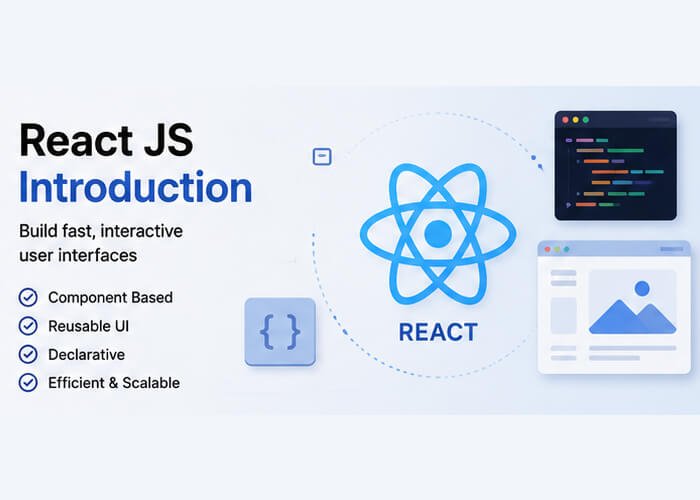
- React is a client-side JavaScript library for building user interfaces.
- React Js is used to build JavaScript-driven applications.
- React always runs in the web browser.
- It means the script will be executed in the client browser without sending a request to the server application.
- React Js provides different components to build user interfaces.
Features of React
- React uses a component-based approach.
- It also follows a declarative approach.
- We can easily handle DOM updates.
- React is designed for rapid and scalable application development.
- React is created and maintained by Facebook.
Core Concepts in React
1. JSX (JavaScript XML)
JSX is a syntax extension for JavaScript that looks remarkably like HTML. It allows you to write the markup directly inside your JavaScript code.
Behind the scenes, build tools transform JSX into standard JavaScript function calls (React.createElement or modern JSX runtime calls).
// A standard JSX element
const Welcome = () => {
    const username = "Alex";
    return (
           <div className="card">
            <h1>Hello, {username}!</h1>
            <p>Welcome to modern React development.</p>
           </div>
     );
};
export default Welcome;Key Rule of JSX: JSX must always return a single root element (or a Fragment <> ... </>), and standard HTML attributes like class become className to avoid clashing with reserved JavaScript keywords.
2. Components
Components are the independent building blocks of any React app. In modern React, components are simply JavaScript functions that accept inputs (props) and return JSX.
function Header() {
return (
<header>
<h2>My Portfolio</h2>
</header>
);
}
3. Props (Properties)
Props are the mechanism through which data travels down the component tree. Props are read-only (immutable) — a child component should never modify the props it receives from its parent.
// Child Component
function UserBadge({ name, role }) {
return (
<div className="badge">
<h3>{name}</h3>
<span>{role}</span>
</div>
);
}
// Parent Component passing props
function Team() {
return (
<div>
<UserBadge name="Sarah" role="Frontend Lead" />
<UserBadge name="Marcus" role="QA Engineer" />
</div>
);
}
The Virtual DOM & Reconciliation
Directly manipulating the real browser DOM (Document Object Model) with methods like document.getElementById or appendChild is computationally expensive when done repeatedly.
React solves this using a Virtual DOM (VDOM):
When state changes in your component, React creates a lightweight representation of the UI in memory (the Virtual DOM).
React runs a diffing algorithm (Reconciliation) to compare the new virtual tree against the previous one.
It identifies only the specific nodes that changed and applies those targeted updates to the real browser DOM, ensuring optimal rendering speed.
How to create your first react project
The recommended way to start a new lightweight client-side React app is using Vite:
# 1. Initialize a new Vite project
npm create vite@latest my-react-app -- --template react
# 2. Enter project folder
cd my-react-app
# 3. Install dependencies
npm install
# 4. Start the development server
npm run dev
Once the dev server starts, open your browser at the local URL (usually http://localhost:5173) to view and edit your live application.
React’s declarative style and component model reduce UI complexity and make codebases easier to maintain and scale.By mastering the relationship between JSX, Components, Props, and State, you have the foundation needed to build any modern web interface.

